

When trying to improve my SEO for my sites, I learned how beneficial IndexNow is. IndexNow basically updates Bing and other third-party search engines (not Google). Whenever you make a change to your page, IndexNow notifies that your page has been updated.
If you’re using a supported plugin like WordPress, the setup is easy. You simply install the add-on to WordPress, and you’re good to go. But what if your updating a site that doesnt have a plug in, the documentation can be a bit confusing, so i created a guide below to make it more clear on how to integrate IndexNow into any site.
Guide to setting up IndexNow without a plugin:
This guide is designed to help you set up IndexNow, a tool that tells search engines (like Bing and Yandex) to crawl your website immediately when you update content.
We will focus on the POST request, which is just a technical way of “pushing” a digital notification to search engines.

Guide: Submitting Website Updates via IndexNow
Phase 1: The Setup (Preparation)
Before you can send a notification, you must prove you own the website.
- Generate your API Key: Go to the IndexNow Get Started page and click Generate. You will get a long string of numbers and letters (e.g.,
85acd45d3a1349...). - Create a Key File: Create a simple text file (
.txt) named after your key. Inside the file, paste the key itself. - Upload to your Website: Upload this file to your website’s main folder so it’s reachable at:
https://www.yourdomain.com/your-key-code.txt.
Phase 2: Understanding the “POST” Request
Think of an HTTP POST request like sending a registered letter.
- The Address: Where the letter is going (the API Endpoint).
- The Envelope: The “Headers” that tell the recipient what’s inside.
- The Letter: The “Body” or JSON data containing your website info and the list of URLs.
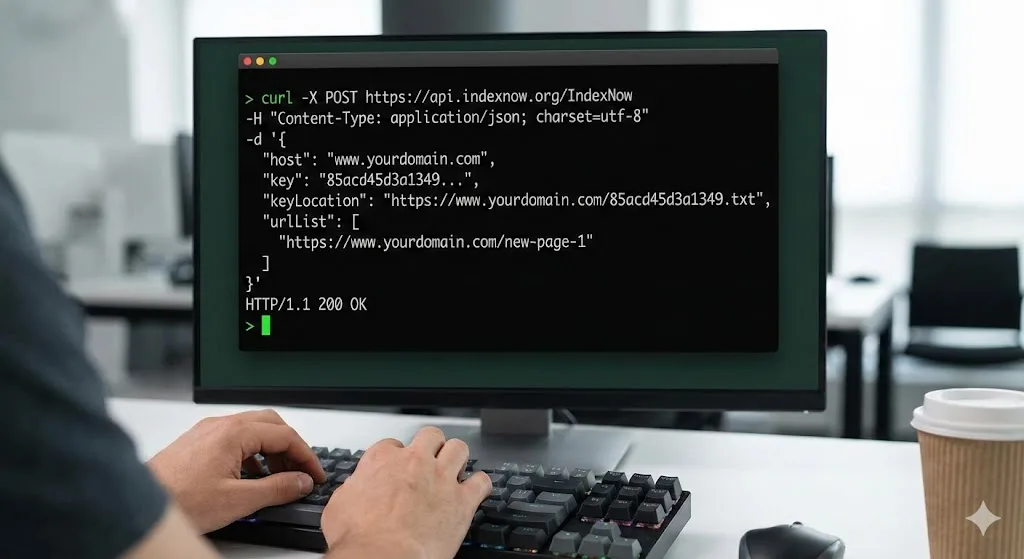
Phase 3: How to Send the Request
The easiest way to send one is by using a tool called cURL. This is a “messenger” program already built into your computer’s command line (Terminal on Mac/Linux, or Command Prompt on Windows).
1. The “Template”
You will copy and paste the code below into your computer’s terminal, but you must replace the bold parts with your own info:
Bash
curl -X POST https://api.indexnow.org/IndexNow \
-H "Content-Type: application/json; charset=utf-8" \
-d '{
  "host": "www.yourdomain.com",
  "key": "your_api_key_here",
  "keyLocation": "https://www.yourdomain.com/your_api_key_here.txt",
  "urlList": [
    "https://www.yourdomain.com/new-page-1",
    "https://www.yourdomain.com/updated-page-2"
  ]
}'
2. Breakdown of the command:
curl -X POST: This tells your computer: “Use the cURL tool to send (POST) information.”https://api.indexnow.org/IndexNow: This is the digital “mailbox” for IndexNow.-H "Content-Type: ...": This tells the server the information is formatted as JSON (a common data language).-d '{ ... }': This is the Data. It includes your domain, your key, where the key file is hosted, and the list of URLs you want search engines to look at.
Phase 4: Checking if it Worked
After you press Enter on that command, you won’t see a “Success” window. Instead, you look for a “Status Code”:
- 200 OK: Success! The search engines have received your list.
- 403 Forbidden: Something is wrong with your key or the file location. Double-check Phase 1.
- 429 Too Many Requests: You are sending updates too fast. Wait a bit before trying again.
For more technical details or troubleshooting, you can always refer back to the official IndexNow Documentation.